Thank you for your payment. You have successfully registered with SmartAccuPay. Your registration credentials have been sent to your registered email address. Please click the ‘Login’ button below and follow these steps:
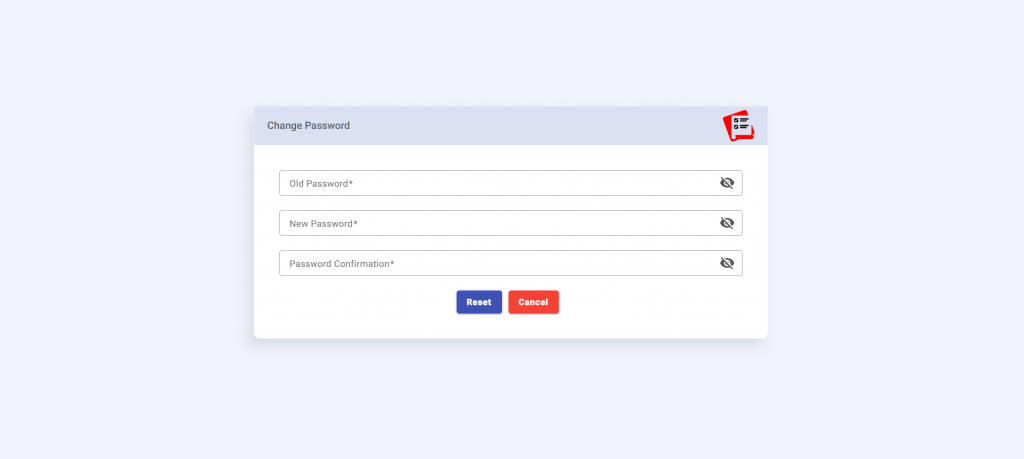
Step 1: Change Your Temporary Password
Change your temporary password on the first login and set a strong password for your account.
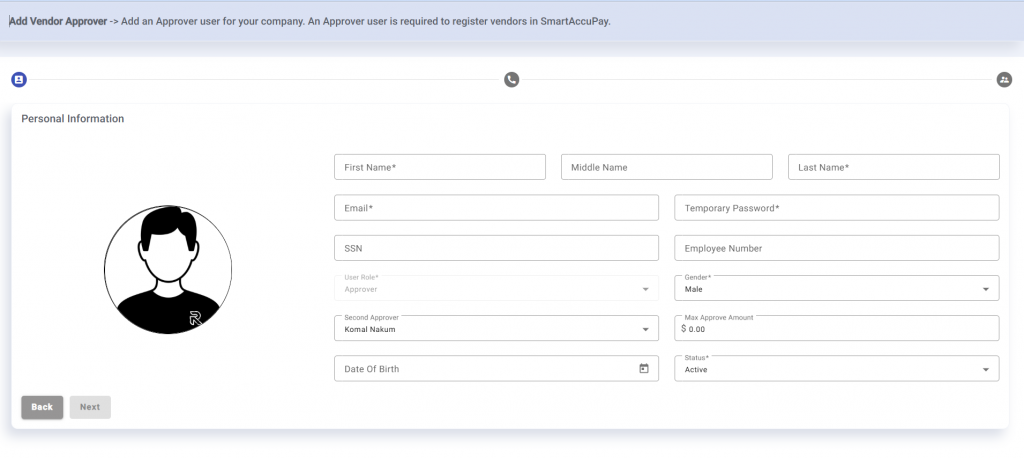
Step 2: Add an Approver User
Add an Approver user for your company. An Approver user is required to register vendors in SmartAccuPay.
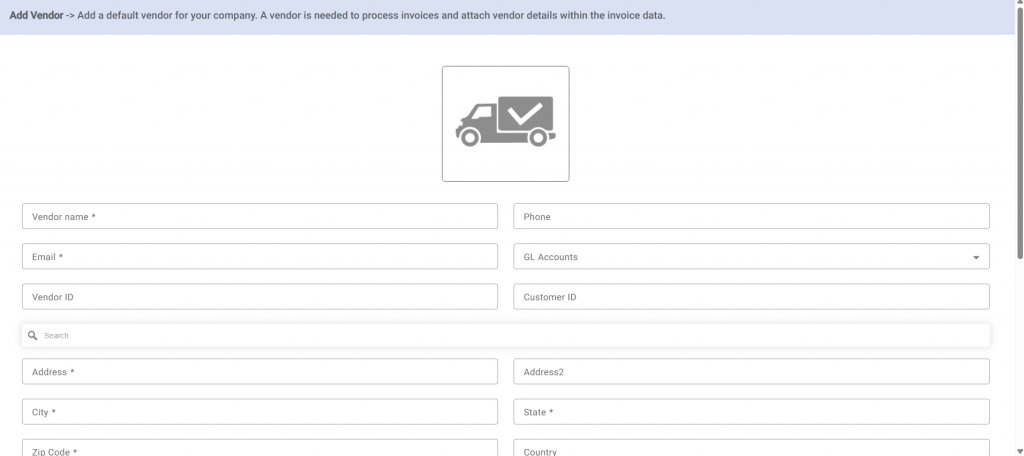
Step 3: Add a Default Vendor
Add a default vendor for your company. A vendor is needed to process invoices and attach vendor details within the invoice data.
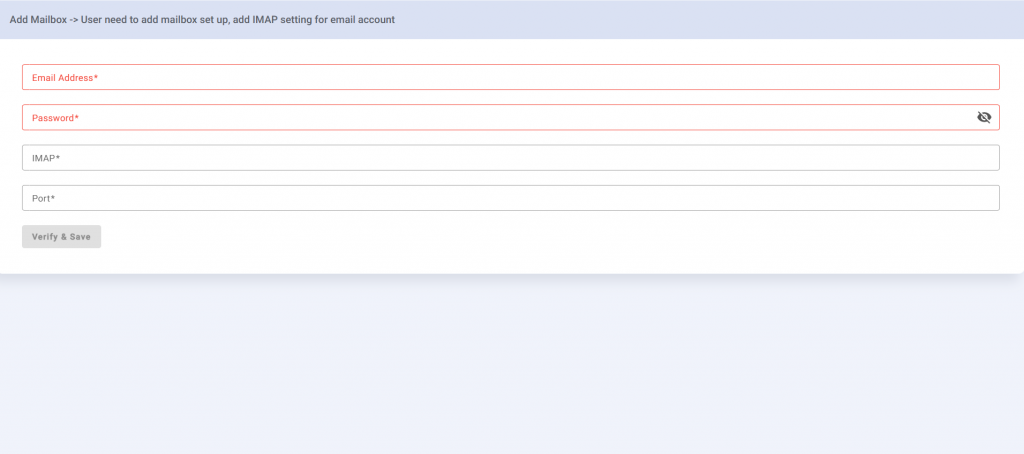
Step 4: Set Up Your Mailbox (IMAP)
User needs to set up mailbox by adding IMAP settings for their email account.